
Drawing and coloring modes
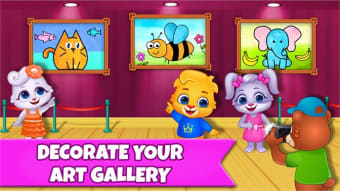
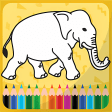
Drawing Games: Draw & Color For Kids provides multiple modes for creating pictures, tracing shapes, and applying color. It includes guided step-by-step sequences, dot-to-dot connection activities, and memory-based drawing prompts. This free digital activity book also features glowing paint tools and sticker elements that can be placed on completed images.
Top Recommended Alternative
All drawing and coloring activities in Drawing Games: Draw & Color For Kids occur within a contained interface that displays selectable image sets and tool palettes. Content is structured into categories, each presenting different picture outlines and traceable forms that can be colored or redrawn. It contains no in-app purchases or advertising elements.
Creative fun
The Learn to Draw mode displays an outline broken into steps that appear one at a time. Auto Draw runs a pre-rendered drawing animation that completes a picture without input. Connect & Color reveals a picture after numbered dots are connected. Connect the Dots requires connecting numbered points with visible lines. Memory Drawing briefly shows a completed line pattern that disappears, after which the user redraws from recall. Glow Paint applies luminous colors on a dark background.
Drawing Games: Draw & Color For Kids includes numerous preset education picture outlines, each accessible through a gallery selection screen. Once chosen, the picture loads into a workspace with tools for crayon, marker, and fill color. Pen sizes and color variations appear on a selectable strip near the canvas. Completed pictures can be modified again by selecting alternate coloring tools or re-tracing parts of the image.
Picture sets are organized into thematically grouped screens, and each drawing mode applies to the same general image catalog. Tracing features rely on visible outlines, while connect-the-dots activities display numerical progression. However, it’s limited to freehand drawing relative to preset outlines. No external links or in-app payment panels appear in navigation menus. Tool switching is performed through tab-like icons that remain fixed around the workspace to maintain access during drawing.
Trace magic
Drawing Games: Draw & Color For Kids includes step-based drawing outlines, dot-connection activities, memory tracing tasks, glow painting tools, and a color-and-sticker workspace. The software focuses on displaying predefined pictures that can be filled or traced using on-screen tool palettes and organized image sets. Its primary limitation lies in its reliance on fixed image catalogs rather than fully freeform drawing spaces. However, it provides multiple drawing modes that operate consistently across the same groups of picture resources.












![Icon of program: GTAV-CHEAT[VC]](https://images.sftcdn.net/images/t_app-icon-s/p/2a95a0f1-5f60-44f3-a4fd-e4891c9fd508/2061369779/gtav-cheatvc-icon.jpg)